
8-inch dedicated glucose display
Glucose Display
The number you check most, big enough for the whole room.
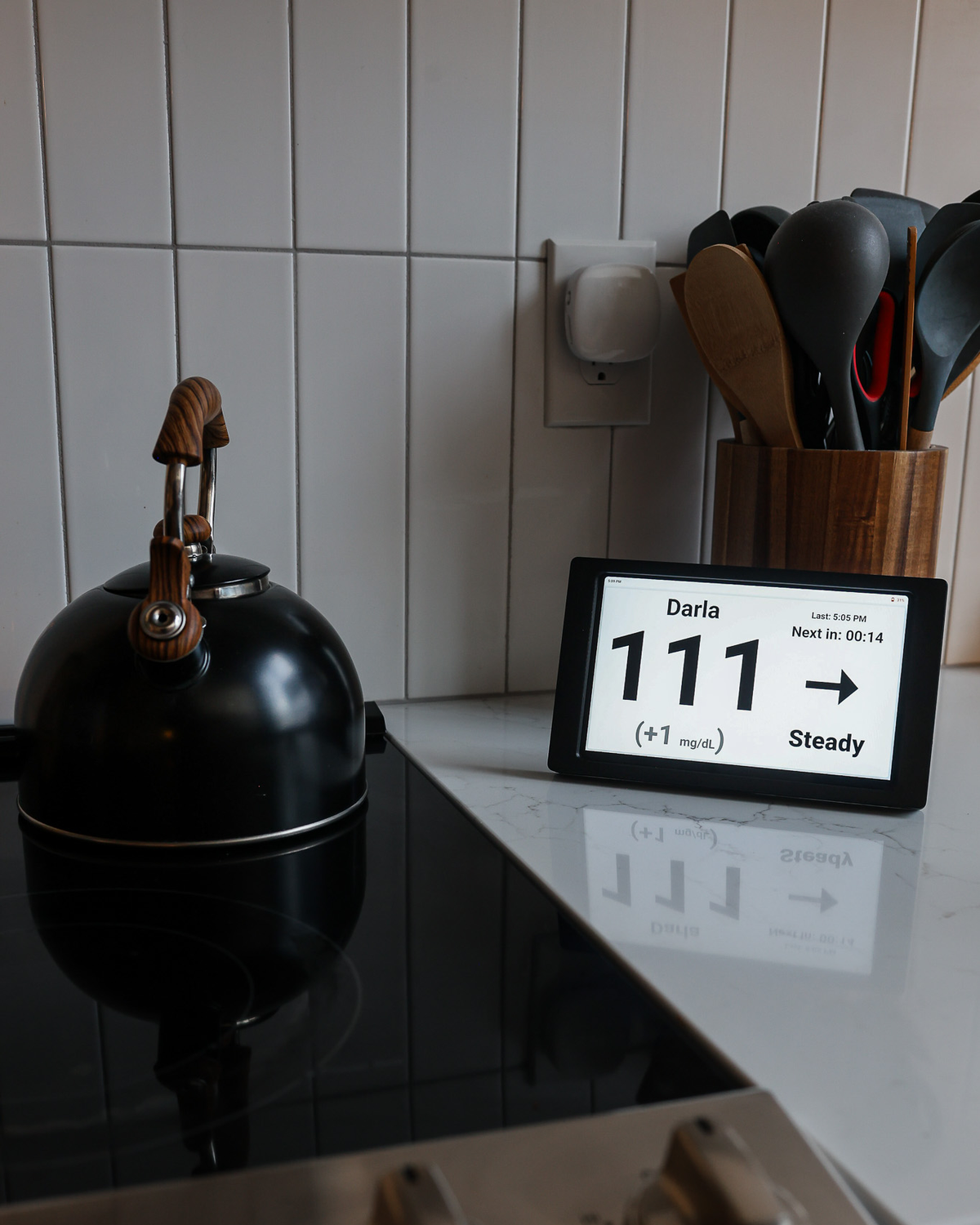
See More Pictures · Back & Other Views
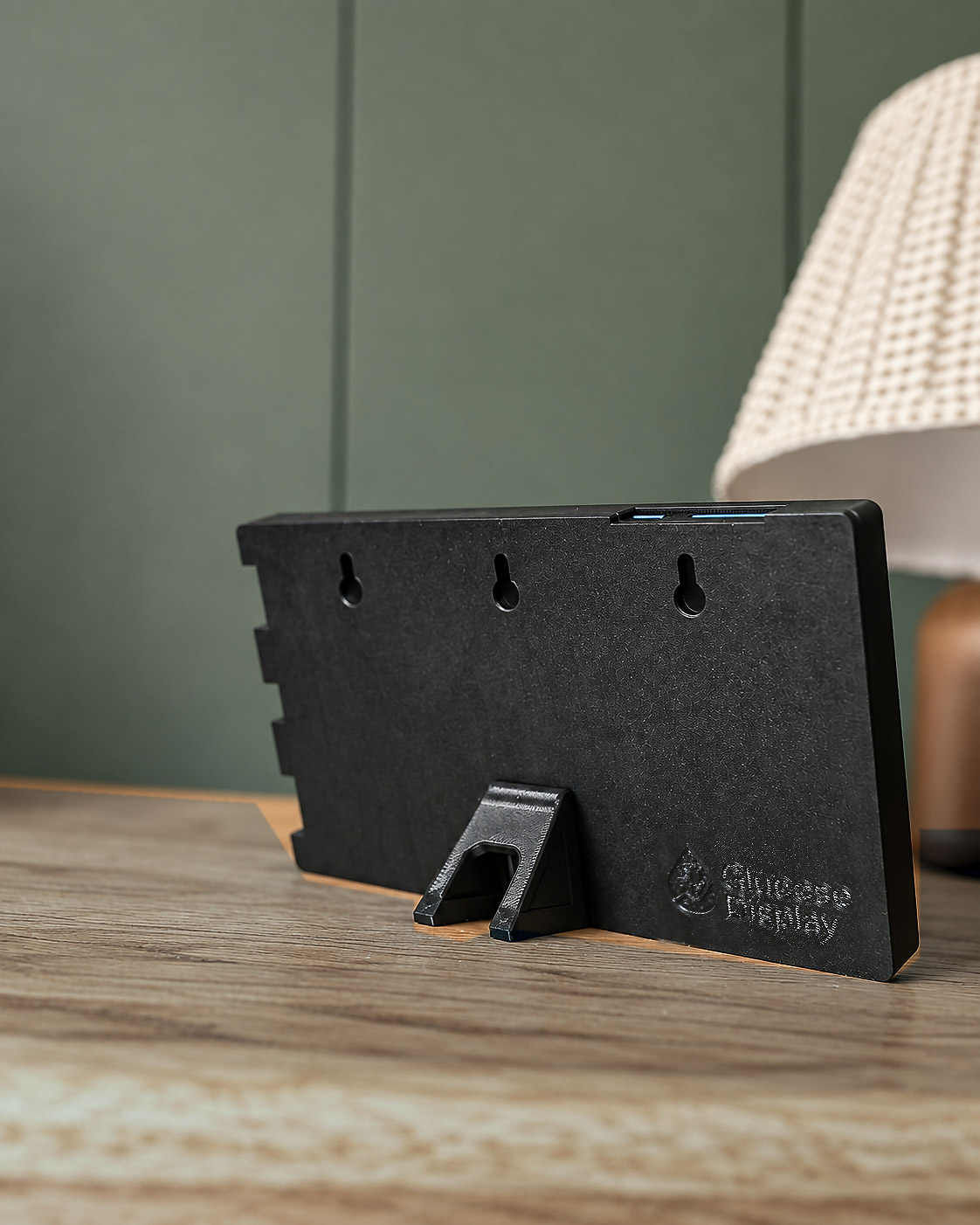
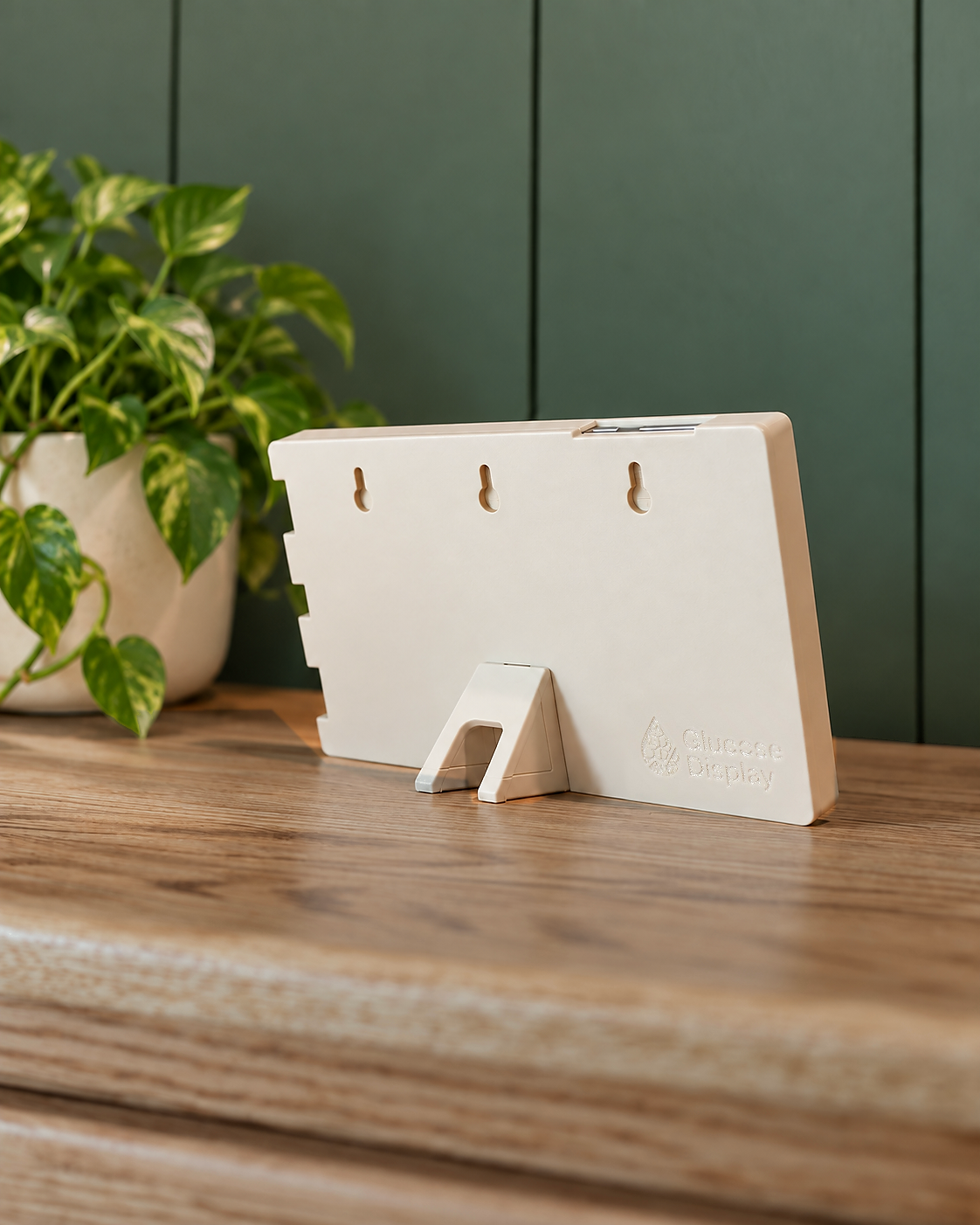
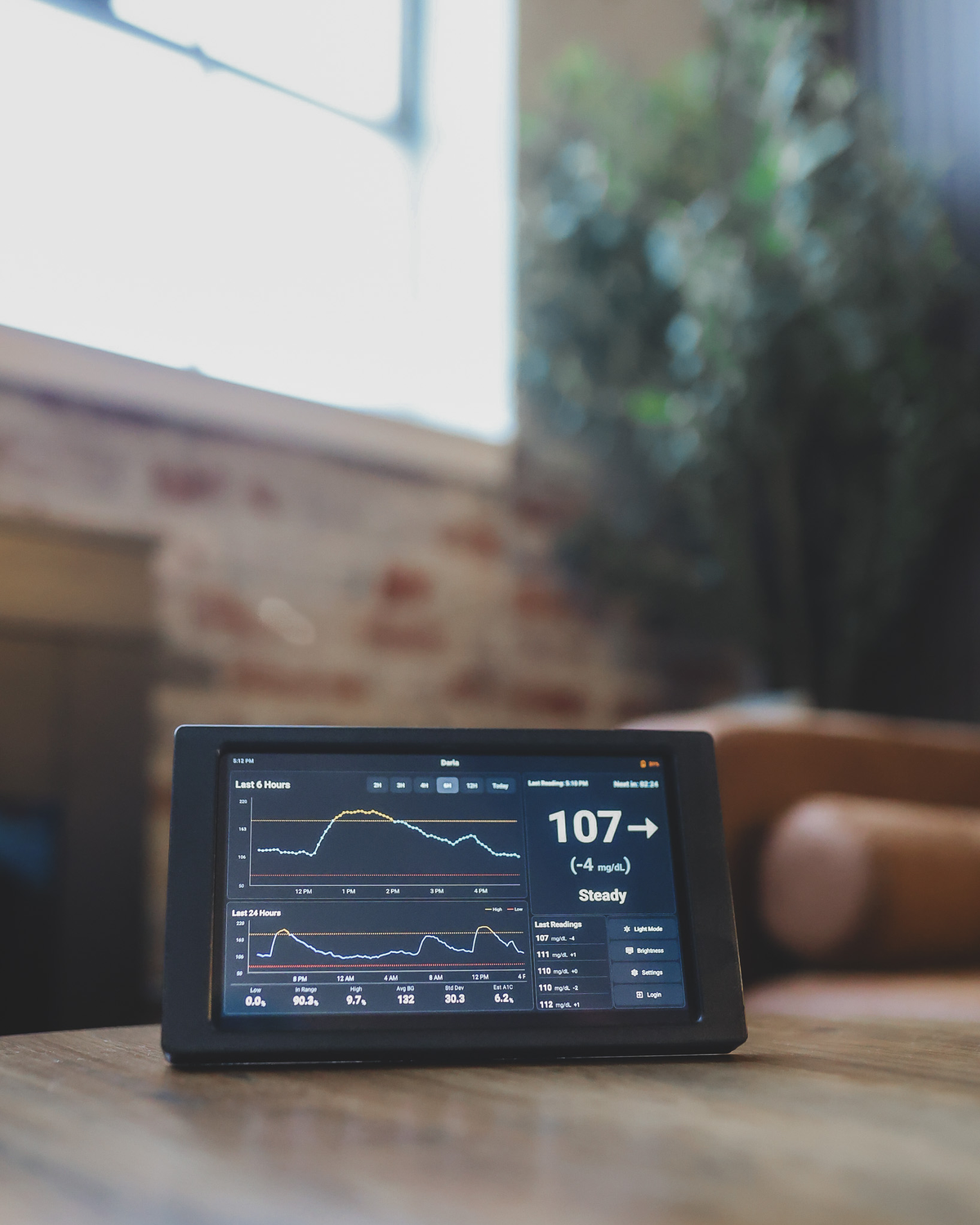
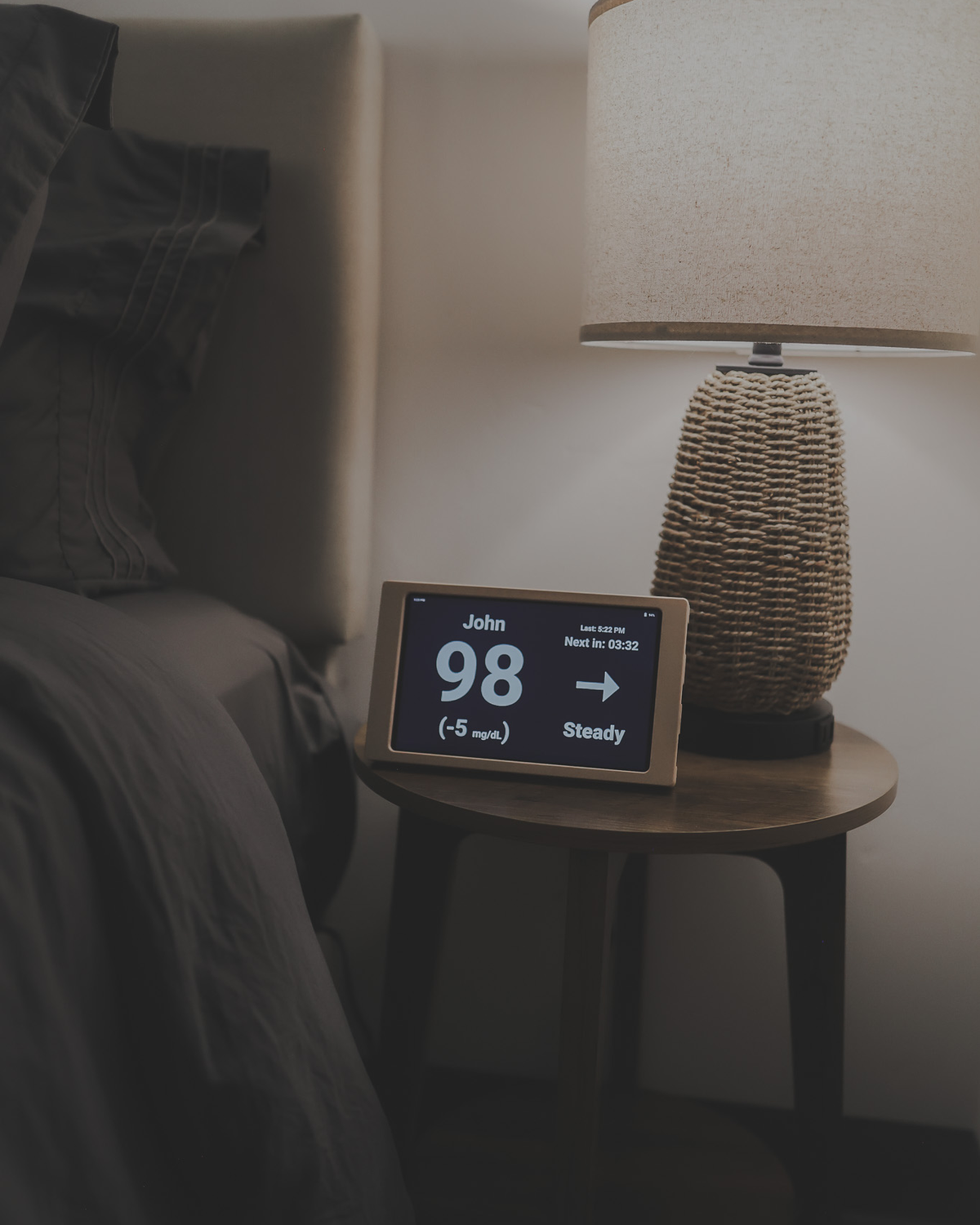
Large-number view · History graphs · Light & dark · Rechargeable
Dexcom Share · LibreLinkUp · Nightscout
Needs working CGM sharing, Wi-Fi and internet. Check compatibility
Stand or wall mount
How to Display Your Glucose Display
Use the removable stand to place your Glucose Display on a desk, shelf, or bedside table. Prefer it on the wall? Remove the stand and use the mounting holes on the back of the frame to hang your display.
Click a photo to enlarge.
At home
Three ways to see your readings.
A detailed dashboard, a larger reading, and longer history. Choose light or dark on the display.
View 1 of 3
-
Dashboard · LightReadings, trends and graphs together. 
-
Large number · DarkOne reading and trend arrow. 
-
Dashboard · DarkReadings, trends and graphs together. 


Switching views and moving between rooms
Views are chosen on the display. Double-tap the top graph on the dashboard to open the history view. Light and dark mode are in the display's settings.
The rechargeable battery lets you move the display without keeping it plugged in. Stay connected to Wi-Fi and the internet to receive readings.
Setup
Will it fit your CGM?
Choose your source for setup instructions.
Connect Dexcom Share
- In the wearer’s Dexcom app, turn on Share and confirm an invited follower has accepted.
- On the display, choose Connect to Dexcom Share and the correct region.
- Sign in on the display with the wearer’s Dexcom account, using the matching Phone or Email/Username option.
Use the wearer’s account, not a follower login.
Connect LibreLinkUp
- Accept the sharing invitation and confirm readings appear in LibreLinkUp.
- On the display, choose Libre and the correct region.
- Sign in with the LibreLinkUp follower account. Choose the connection if more than one appears.
Use the LibreLinkUp account that already receives the shared readings.
Connect Nightscout
- Confirm your Nightscout site is reachable and receiving current readings.
- On the display, choose Connect to Nightscout and enter the site’s base URL.
- If the site is protected, enter the access credential in the separate token field, then connect.
Use the base URL, not a link with ?token=. Keep your upstream uploader running.
The display needs Wi-Fi and internet, plus a working sharing connection. Enter account details only on your display. Your CGM remains the reference for treatment decisions and primary alerts.
Details
What it is, in plain terms.
It is not a sensor and not a replacement for your CGM app. It is a second, bigger place to see what your CGM already reports.
- Screen
8-inch display with a fold-out stand, in a dark bezel.
- Power
Rechargeable. Keep it plugged in where it lives, or unplug it to move it.
- Connection
Home Wi-Fi and an internet connection. Readings arrive through your source account's sharing service.
- Sources
Dexcom Share, LibreLinkUp or Nightscout, with sharing already set up on that account.
- Shows
Current reading with trend arrow and change, recent graphs, summary statistics, a large-number view, and history views of up to three days or three weeks, limited by the readings available.
- Daily summary
Below the graphs: low, in-range and high percentages, average glucose, variability and estimated A1C—from available readings in the last 24 hours. What the stats mean.
- Appearance
Light and dark modes and sleep-related screen controls.
- Alerts
Optional alerts on the display. Your CGM remains the primary alert and the reference for treatment decisions.
Reviews
What buyers said.
Reviews from Glucose Display customers, collected by Judge.me.
Order
Glucose Display.
Read the reviews.- Price
- $149.99 USD
- Shipping and tax
-
Calculated at checkout
- Processing
-
1 to 2 business days, excluding weekends and holidays. Delays are possible. This is processing time, not a delivery date. Shipping policy
- Returns
-
30-day risk-free trial. If it doesn't make everyday life a little easier, send it back within 30 days of receiving it for a full refund.
How the trial works
30-Day Risk-Free Trial: Managing T1D is a journey, and we want to make sure Glucose Display is the right fit for your home. Try it for 30 days—if it doesn't make everyday life a little easier, send it back within 30 days of receiving it for a full refund. Simply reach out to support@glucosedisplay.com and we’ll take care of the rest.
- Works with
-
Dexcom Share · LibreLinkUp · Nightscout
- Needs
-
Existing CGM account with sharing, internet, Wi-Fi
Questions
Before you decide.
Do I still need my CGM app?
Yes. The display reads what your CGM already shares through Dexcom Share, LibreLinkUp or Nightscout. Your CGM and its app stay in charge of sensor setup, primary alerts and treatment decisions.
Does it work without internet?
No. Readings arrive over your home Wi-Fi from the sharing service, so both the display and the source account need an internet connection.
Is it a Dexcom or Libre product?
No. Glucose Display is an independent product that connects to those sharing services. It does not replace them and it is not affiliated with them.
What does the screen show?
Your current reading with a trend arrow and change, recent graphs, summary statistics, and a large-number view. History views cover up to three days or three weeks, limited by the readings your source has shared. Light and dark modes and sleep-related controls are in the display's settings. Optional alerts can be turned on, but the CGM remains the primary alert.
How is it powered?
It is rechargeable. Keep it plugged in, or unplug it to move it.
When will it ship?
Orders are processed within 1 to 2 business days, not counting weekends and holidays, and delays are possible. That is processing time, not a delivery date. Shipping options and costs are shown at checkout.
Can I return it?
Yes. Managing T1D is a journey, and we want to make sure Glucose Display is the right fit for your home. Try it for 30 days—if it doesn't make everyday life a little easier, send it back within 30 days of receiving it for a full refund. Simply reach out to support@glucosedisplay.com and we’ll take care of the rest.